 TrailMesh7
Group SOS
A Group SOS is a repeating alert carrying your position and battery level to everyone in your rooms. It is the loudest thing the app can do, and it is worth understanding before you need it.
Raising one
Two ways:
- The red SOS button — in the middle of the navigation bar on a phone, at the bottom of the rail on a tablet or in a browser.
- A double press on the tag button, without taking the phone out.
Either way you get a five-second countdown before anything is transmitted. Double-press again, or use the on-screen cancel, and nothing is sent.
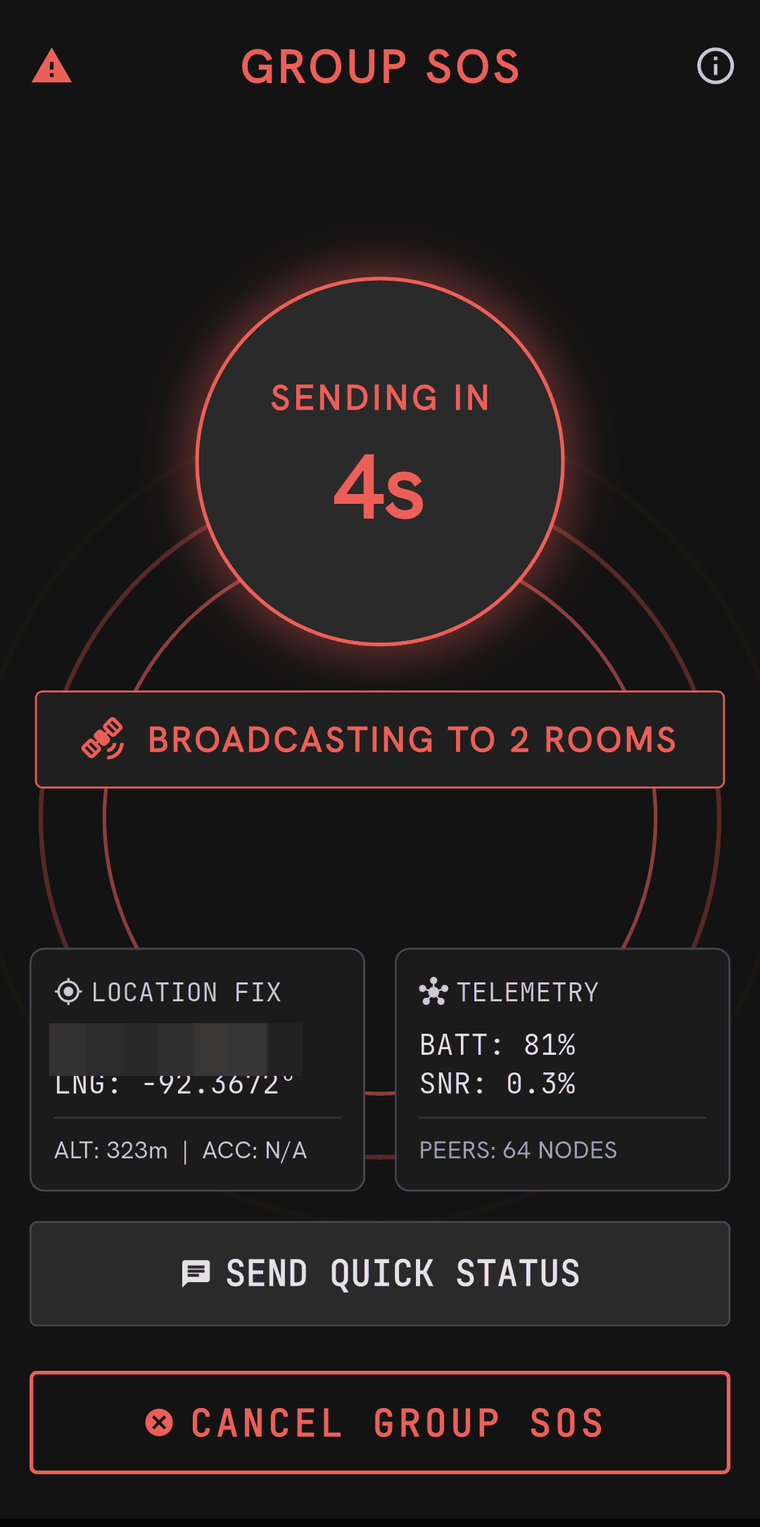
The countdown does not start until a tag is actually connected — a five-second wait followed by nothing would be the worst of both, so the app says no tag connected and starts counting the moment a connection comes up.
What it sends, and to whom
It goes to every room you belong to and nowhere else. If you have not joined a room, it reaches no one — the screen tells you so before you send, and the fix is to create or join a room from the Chat tab first.
Once sent it re-broadcasts every 90 seconds until you cancel it, carrying your current position and battery level each time. That is so a tag that comes into range twenty minutes later still gets it.
The screen you are left on shows your own position, altitude, accuracy, battery, link statistics and how many tags your radio can currently see.
Cancelling
Cancel Group SOS on the alert screen, or another double press on the tag button. Cancelling sends an explicit stand-down, so the other phones show This tag reported they are safe rather than simply going quiet. Do cancel — an alert left running keeps consuming airtime that the group may need.
Quick status
On the same screen, Send Quick Status posts a short canned update into the same rooms without raising a full alert:
- I’m safe
- Need medical help
- Low battery, going dark
- Staying put, awaiting rescue
This is the right tool for “things are wrong but not dire”, and for updating people after an alert has been cancelled.
Receiving one
A Group SOS is hard to miss on purpose. A red banner appears across the top of every screen, and if you have audio switched on it is read aloud, interrupting whatever else was being spoken. A blocked tag’s messages are suppressed — a blocked tag’s Group SOS is not.
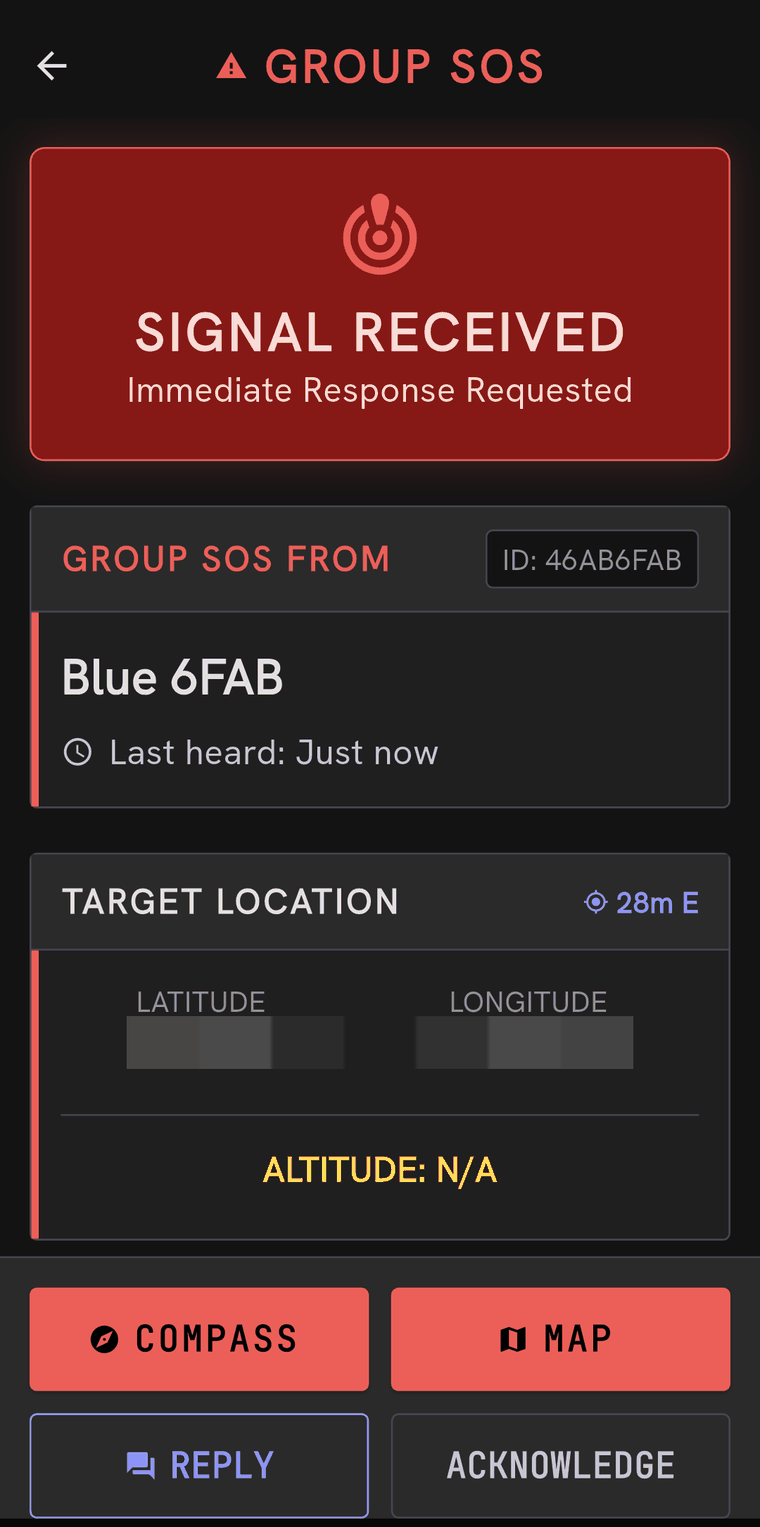
Tapping through gives you:
- Who it is from, and how long ago their tag was last heard.
- Their position — latitude, longitude and altitude — with a compass and a map link. Both work with no connection: the compass uses your phone’s sensor and your own GPS fix, and the map uses whatever area you downloaded.
- Their telemetry — battery level and link signal, which tells you how much time they have and roughly how far away they are.
- Acknowledge, which tells the sender somebody has seen it.
- Reply, which sends them a direct message.
Close — alert stays active does exactly that: it puts the screen away without pretending the situation is over. The banner stays until the sender cancels.
What to rely on, and what not to
Acknowledgement is the useful signal. The sender has no delivery receipt for the alert itself, so if you can reach them, acknowledging is worth more than it looks.
The position is their last known one, not a live one. If they are moving, the next re-broadcast will be closer to the truth.
A tag with no phone connected cannot raise one. The button is a trigger; the alert is composed, encrypted and sent by the app. If you are relying on Group SOS, keep the phone paired and charged.